How to Reverse a Payment on Capitec: Complete 2025 Guide
Mistakes happen—whether you’ve sent money to the wrong person, fallen victim to fraud, or noticed an unauthorized debit order. If you’re a Capitec Bank customer, you might be wondering how to reverse a payment on Capitec. This comprehensive guide covers everything you need to know in 2025, including step-by-step instructions, limitations, timelines, and tips to protect your money.
We’ll break it down by transaction type because reversal options differ significantly depending on whether it’s a debit order, EFT transfer, immediate payment, or something else.
Related read: How to Increase Your Capitec Credit Score Fast
1. Reversing (Disputing) an Unauthorized Debit Order on Capitec App
Capitec makes it easy to dispute unauthorized debit orders directly through their app. This is the most common scenario where a direct reversal is possible.
Important Limitations:
- Only for unauthorized debit orders (not valid ones you agreed to).
- Only debit orders under R800 can be disputed via the app.
- This is not for cash flow management—only genuine unauthorized deductions qualify.
- For DebiCheck debit orders (digitally authorized), reversals are restricted if they match the mandate.
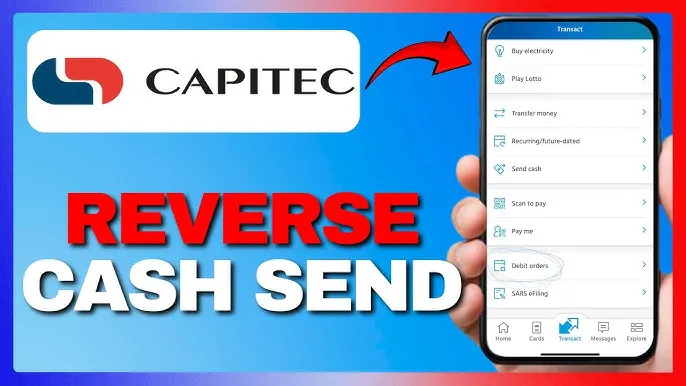
Step-by-Step: How to Dispute a Debit Order on the Capitec App
- Open the Capitec Bank app and log in securely with your Remote PIN or biometrics.
- Tap on Transact at the bottom of the screen.
- Select Debit Orders (or look under Payments/Transactions in some versions).
- Find the unauthorized debit order in your list.
- Tap on the transaction and select Dispute or Submit Dispute.
- Choose the reason (e.g., unauthorized or fraudulent).
- Confirm and submit.
Capitec will investigate, and if approved, the funds are typically reversed within a few business days. Disputes lodged within 40 days have the best chance of success.
Pro Tip: Always act quickly—monitor your account regularly via notifications.
Related post: FNB eWallet Not Received – How to Fix It (Updated 2025 Guide)
2. Reversing an EFT or Money Transfer (Not a Debit Order)
Unfortunately, most EFTs, immediate payments, or transfers cannot be reversed directly if you’ve authorized them, even if sent to the wrong account by mistake.
Key Facts:
- Authorized transfers (e.g., you entered the wrong details but confirmed the payment) are generally irreversible by the bank.
- Real-time or immediate payments process instantly and can’t be cancelled after confirmation.
- If the recipient has already withdrawn the money, recovery is difficult.
What You Can Do:
- Contact the recipient immediately—if you know them or it’s a business, politely request they send the money back.
- Report to Capitec as fraud if unauthorized (e.g., scam or hacked account):
- Log in to the app.
- Go to Transact > More > Dispute a Payment (if available).
- Select the transaction and choose “Unauthorized” or “Fraudulent.”
- Alternatively, call Capitec Client Care on 0860 10 20 43 (or +27 21 941 1377 from abroad).
- Visit a Capitec branch with ID and transaction details for assistance.
- If fraudulent, open a case with SAPS and provide the affidavit to Capitec.
Success depends on quick action and whether the recipient’s bank cooperates. Funds may return in 5–20 business days if approved.
Related read: Best Loan Apps That Actually Approve Fast in South Africa
3. Reversing Cash Send or Other Transactions
- Cash Send: Can’t be reversed via app if already collected. Visit a branch with the receipt.
- Card payments (e.g., failed POS but deducted): Often auto-reverses in 1–3 days; otherwise, dispute via app or branch.
Timeframes for Reversals
- Unauthorized debit orders: 3–10 business days.
- Disputed transactions (within 40 days): Up to 20 days.
- Fraud cases: Investigation can take longer.
Common Scams to Avoid
Beware the debit order reversal scam:
- Fraudsters call/SMS claiming an unauthorized debit order and “help” reverse it.
- They trick you into approving transactions or sharing OTPs.
- Capitec never asks you to transfer money or share passwords to reverse debits.
Related read: How to Open a Business Bank Account Online in 2025
Always verify via the official app or call center.
Prevention Tips for Future Payments
- Double-check recipient details before confirming.
- Enable transaction notifications.
- Use Verify Recipient feature for new payees.
- For large amounts, use scheduled payments (easier to cancel if needed).
- Report lost/stolen cards immediately via app.
Contact Capitec for Help
- Client Care: 0860 10 20 43
- Fraud reporting: Same number or WhatsApp 067 418 9565
- Branch locator: Via app or website.
Reversing payments on Capitec is straightforward for unauthorized debit orders but limited for authorized transfers. Acting fast is key to recovering your money. If your case doesn’t fit the app options, professional assistance from Capitec support is your best next step.
Related post: How to Check Your Credit Report for Free in 2025