Ultimate Guide to Check Gift Card Balance, Transactions & Card Details in South Africa (2025)
Ever typed “what’s on my card” into Google and felt overwhelmed by vague answers? Whether you want to check a gift card balance, view recent credit card transactions, or simply understand the numbers printed on your card, you’ve come to the right place.
This comprehensive 2025 guide is built for South Africans — but applies equally to anyone worldwide. We cover everything from using WhatsOnMyCard.com for local mall gift cards, to checking balances on Visa, Mastercard, and store-specific prepaid cards. You’ll also find practical security tips to protect yourself from the growing threat of gift card fraud.
Quick Answer: To check what’s on your card in South Africa, visit WhatsOnMyCard.com, enter your card number and CVV/PIN, and instantly view your balance and recent transactions.
Bookmark this page — it’s your go-to resource for all things card-related in 2025.
Why You Should Check What’s on Your Card
Regularly checking your card details isn’t just good habit — it’s essential for financial health. Here’s why it matters:
- Avoid embarrassing declines at the till — know your balance before you shop.
- Catch unauthorised transactions early and report fraud before it escalates.
- Prevent gift card waste — many cards have expiry dates or inactivity fees.
- Maximise rewards and loyalty points by staying on top of your balances.
- Budget smarter using prepaid and gift cards for controlled spending.
- Stay protected — register your card for SMS alerts to monitor every purchase in real time.
In 2025, with contactless payments and digital wallets now mainstream in South Africa, it’s easier than ever to lose track of small balances. A quick check takes seconds and can save you rands.
How to Check Your Gift Card Balance: Step-by-Step
Most gift cards offer several ways to check your balance. Follow these steps for the quickest result:
Step 1: Gather Your Card Details
Flip your card over and locate:
- 16-digit card number (printed on the front)
- 3- or 4-digit CVV or security code (back of card)
- PIN — sometimes hidden under a scratch-off panel on the back
Step 2: Choose Your Check Method
| Method | Best For | How to Access |
| Online Portal | Quick, 24/7 access | Visit the issuer’s website |
| Mobile App | Store-branded cards | Download the retailer’s app |
| Phone / IVR | No internet access | Call number on back of card |
| In-Store | Any card type | Ask a cashier to check for you |
| SMS / Email Alert | Ongoing monitoring | Register card on issuer’s site |
Step 3: Check Online — Popular Brands
Here are direct links and instructions for the most common cards:
| Card Brand | Where to Check | What You Need |
| Visa Gift Card | usa.visa.com or perfectgift.com/check-balance | 16-digit number + 3-digit CVV |
| Amazon Gift Card | amazon.com > Your Account > Gift Cards | Amazon login |
| Target | target.com/guest/gift-card-balance | Card number + PIN |
| Walmart | walmart.com/account/giftcards/balance | Card number + PIN |
| Apple Gift Card | support.apple.com/en-us/108111 | Apple ID login |
| Generic Cards | cardbalance.net or getmybalance.com | Card number + access code |
| SA Mall Cards | whatsonmycard.com | Card number + CVV/PIN |
If your card doesn’t have a website listed on the back, try general balance checkers like cardbalance.net, checkmygiftbalance.com, or storecard.com. These support hundreds of brands.
South African Gift Cards Guide: Using WhatsOnMyCard.com
If you’re in South Africa and wondering how to check a mall gift card balance, WhatsOnMyCard.com is your primary destination. Powered by Paymentology, this platform supports a wide range of local gift cards, loyalty cards, and prepaid cards issued through South African shopping centres.
How to Use WhatsOnMyCard.com (Step-by-Step)
- Open your browser and go to www.whatsonmycard.com
- Enter your card number (printed on the front or back of your card)
- Complete the security verification: enter your CVV or scratch-off PIN
- Click “Check Balance” or “Submit”
- View your current balance, available funds, and recent transaction history
- Optional: register your card to receive SMS notifications on future purchases
Pro Tip: Register your card on WhatsOnMyCard.com to get instant SMS alerts for every transaction — a simple but powerful tool against gift card fraud.
Popular South African Cards Supported
| Mall / Card | Check Balance At | Support Contact |
| Canal Walk Gift Card | whatsonmycard.com | 086 111 1234 |
| Midlands Mall Gift Card | whatsonmycard.com | Contact mall admin |
| Kudosh Reward Card | uwiniwin.co.za/my-card/whats-on-my-card/ | See website |
| Various SA Prepaid Cards | mybalancenow.com or bank app | Card issuer helpline |
Many South African retailers and mall groups use Paymentology as their card management platform, which is why WhatsOnMyCard.com works across so many different gift and loyalty cards.
→ Related: See on how to Maximise Rewards on Your Cards: The Complete Strategy Guide.
How to Check Your Credit or Debit Card Balance & Transactions
If “what’s on my card” refers to your bank account balance or recent spending, here’s how to access that information:
Via Your Bank’s App or Website
- Log in to your bank’s mobile app or internet banking portal.
- Navigate to your account dashboard to view your current balance.
- Access “Transactions” or “Statement” to see up to 13 months of activity.
- South African banks: Capitec, FNB, Standard Bank, Nedbank, and Absa all offer robust mobile banking apps with real-time balance updates.
Other Methods
- Phone banking: Call the number on the back of your card and follow the automated prompts.
- Paper statements: Still an option, but digital is faster and more environmentally friendly.
- ATM: Check your balance at any compatible ATM for a quick in-person check.
- Third-party budgeting apps: Tools like 22seven (popular in SA) link to your accounts and consolidate all balances in one view.
- Apple Wallet / Google Wallet: For linked cards, view balance and up to 2 years of transaction history directly in the wallet app.
For rewards cards, check your points and cashback via your issuer’s portal or by calling their dedicated rewards line.
Understanding What’s Printed on Your Card
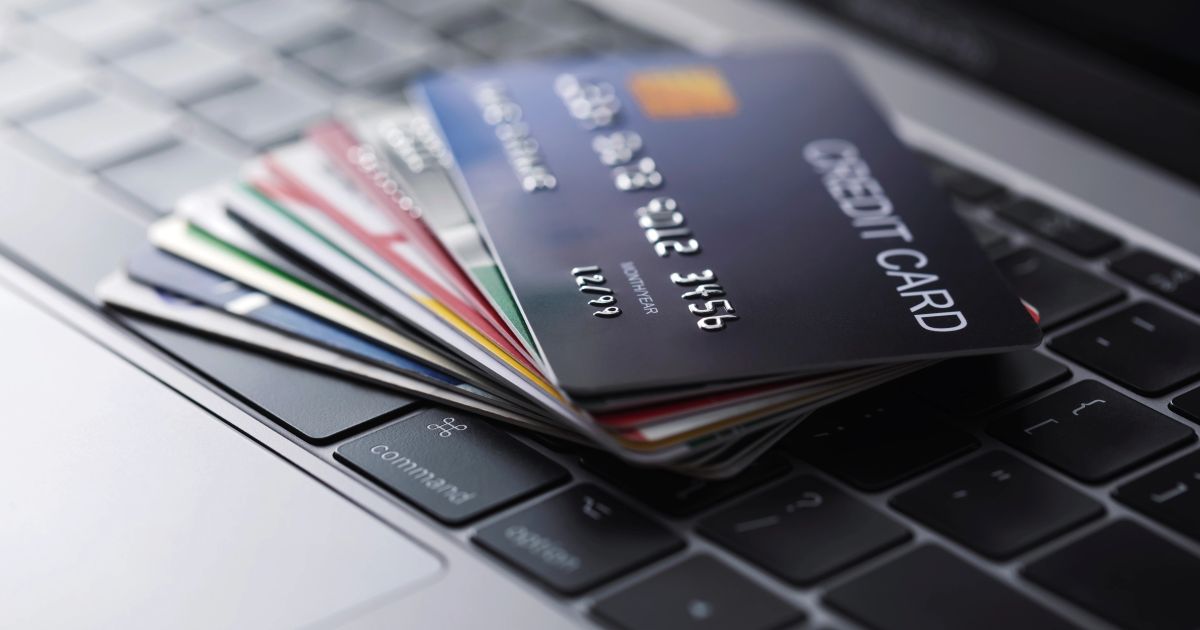
To check your balance online or over the phone, you’ll need to understand the key details on your card. Here’s a breakdown of what everything means:
Front of the Card
| Element | Description | Where to Find It |
| Card Number | 16-digit unique identifier for your card | Embossed or printed across the front |
| Cardholder Name | Your full name as registered with the issuer | Below the card number |
| Expiry Date | MM/YY format — card invalid after this date | Bottom right area |
| Chip | EMV chip for secure in-person payments | Left side of card |
| Contactless Symbol | Indicates tap-to-pay capability | Right side of front |
| Network Logo | Visa, Mastercard, etc. | Bottom right corner |
Back of the Card
| Element | Description | Purpose |
| Magnetic Stripe | Black or brown stripe across the top | Used for swipe payments |
| Signature Panel | White box for your signature | Security verification |
| CVV / CVC | 3 or 4-digit security code | Required for online & phone purchases |
| Customer Service Number | Toll-free helpline number | Balance checks, disputes, lost card |
| Card PIN | Sometimes under a scratch-off panel | Activate card or check balance |
Important: Never photograph both the front and back of your card together. Keep your CVV and PIN private — no legitimate bank or retailer will ever ask you to share these via message or email.
Security Tips & How to Avoid Gift Card Scams
Gift card fraud is on the rise globally — and South Africa is no exception. Scammers target gift cards because they’re easy to use anonymously and transactions are hard to reverse. Here’s how to protect yourself:
Top Security Rules
- Only check your balance on HTTPS websites — look for the padlock icon in your browser.
- Never share your CVV or PIN with anyone, including people claiming to be from your bank.
- Register your card for SMS alerts so you’re notified instantly of any transaction.
- Check your card immediately after purchase to confirm the balance was loaded correctly.
- Keep your gift card in a safe place — treat it like cash.
- If buying a gift card in-store, inspect the packaging for tampering before purchasing.
Common Gift Card Scams to Watch Out For
| Scam Type | How It Works | How to Protect Yourself |
| Zero-Balance Scam | Fraudsters drain cards in-store by noting the number before purchase | Check balance immediately after buying |
| Tech Support Scam | Caller asks you to pay with gift cards for “fines” or “fees” | Legitimate services never ask for gift card payment |
| Phishing Sites | Fake balance-check websites steal card details | Only use official issuer sites or WhatsOnMyCard.com |
| Packaging Tampering | Scammers expose PIN under scratch-off panel in-store | Reject any card with damaged packaging |
| Overpayment Scam | Buyer sends fake payment and asks for gift card as change | Never accept gift cards as part of a sales transaction |
→ Related: Read our full guide to fraud detection and scam prevention in South Africa for more protection tips.
Frequently Asked Questions (FAQ)
1. What is WhatsOnMyCard.com and is it safe to use?
WhatsOnMyCard.com is a legitimate balance-check platform powered by Paymentology, a trusted payment technology company. It is widely used across South African shopping centres and is safe for checking gift card balances. Always ensure you’re on the correct URL: www.whatsonmycard.com.
2. How do I check my gift card balance without internet access?
Call the toll-free number printed on the back of your card and follow the automated prompts. You can also visit any store that issued the card and ask a cashier to check the balance at the till.
3. What’s the difference between a gift card PIN and a CVV?
A PIN is typically hidden under a scratch-off panel and is used to activate or verify the card. A CVV (Card Verification Value) is a 3- or 4-digit code printed on the back and is primarily used for online and phone purchases.
4. Can gift cards expire?
Yes, most gift cards have an expiry date. In South Africa, many mall gift cards are valid for 3 to 5 years. However, some cards charge inactivity fees after a period of non-use, which can reduce your balance. Always check the terms and conditions on the card or packaging.
5. What if my card has no balance check website?
Try general gift card balance checkers like cardbalance.net, getmybalance.com, or checkmygiftbalance.com. These support hundreds of card brands. If the card still isn’t listed, contact the retailer directly.
6. Can I check my Capitec or FNB card balance online?
Yes. All major South African banks — including Capitec, FNB, Standard Bank, Nedbank, and Absa — offer internet banking and mobile apps where you can view your balance and transaction history in real time.
7. How do I know if someone has used my gift card without my permission?
Register your card on WhatsOnMyCard.com or the issuer’s website to receive SMS or email alerts for every transaction. If you notice an unauthorised charge, contact the card issuer immediately with your purchase receipt and card details.
8. Is it safe to check my card balance on public Wi-Fi?
It is not recommended. Public Wi-Fi networks can be insecure and expose your card details to hackers. Use mobile data or a trusted private network, and always verify the site uses HTTPS before entering your card number.
9. Can I check the balance on a Woolworths or Checkers gift card?
Yes. Most major South African retailer gift cards — including Woolworths, Checkers, Pick n Pay, and Dischem — have balance check options via their websites or mobile apps. The number on the back of the card will direct you to the correct portal.
10. What should I do if my gift card shows a zero balance but I haven’t spent it?
This is a red flag for gift card fraud. Contact the card issuer immediately using the number on the back of the card or on the retailer’s website. Have your original purchase receipt available as proof. Report the issue to your local Consumer Protection authority if needed.
11. How many transactions can I view on WhatsOnMyCard.com?
WhatsOnMyCard.com typically shows your recent transaction history. For a full statement or extended history, contact the card issuer or your bank directly, as they may be able to provide a more detailed breakdown.
12. Do prepaid Visa cards work the same way as gift cards?
They are similar but not identical. Prepaid Visa cards can often be reloaded and used anywhere Visa is accepted, including online. Standard gift cards are usually single-load and valid only at specific retailers. Both can be checked via their respective issuer portals or general balance sites.
Conclusion & Key Takeaways
Knowing what’s on your card — whether it’s a gift card balance, credit card transaction history, or the security details printed on the plastic — puts you firmly in control of your finances. In South Africa, WhatsOnMyCard.com makes it simple and quick to check your mall gift card balance and transaction history in seconds.
Here’s a quick summary of the key points from this guide:
- Use WhatsOnMyCard.com for South African mall and prepaid gift cards.
- Always check your balance immediately after receiving or buying a gift card.
- Register your card for SMS alerts to monitor spending and detect fraud.
- Protect your CVV and PIN — never share them via message, email, or phone call.
- For bank cards, use your bank’s official app or internet banking portal.
- If you suspect fraud, act immediately — contact the issuer and keep your proof of purchase.
Ready to check your card? Visit www.whatsonmycard.com now or download your bank’s mobile app for instant access to your balance and transactions.
Related Articles You May Find Helpful
- What Network is 061 in South Africa?
- What Network is 071 in South Africa?
- Best Budgeting Apps for South Africans in 2025
- How to Dispute an Unauthorised Transaction on Your Bank Card